About FUJITSU FI-7160 FEED EXIT ROLLER
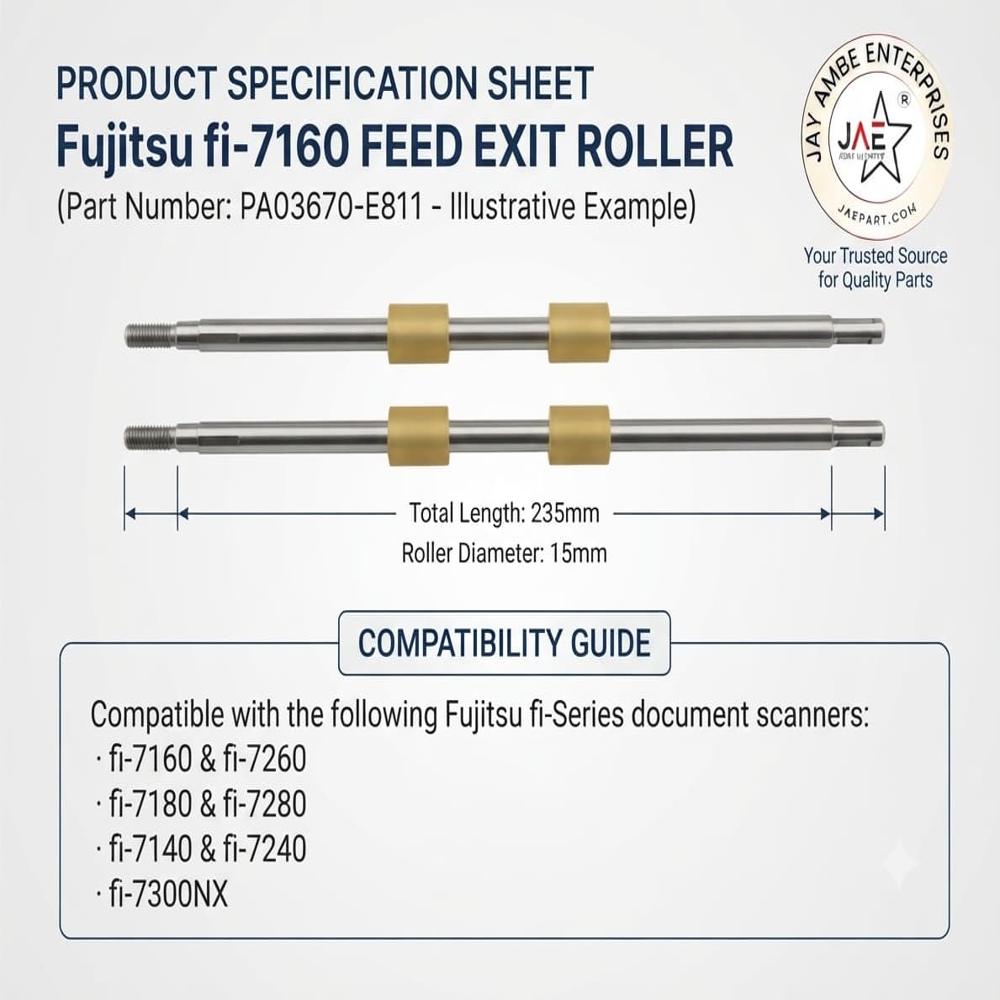
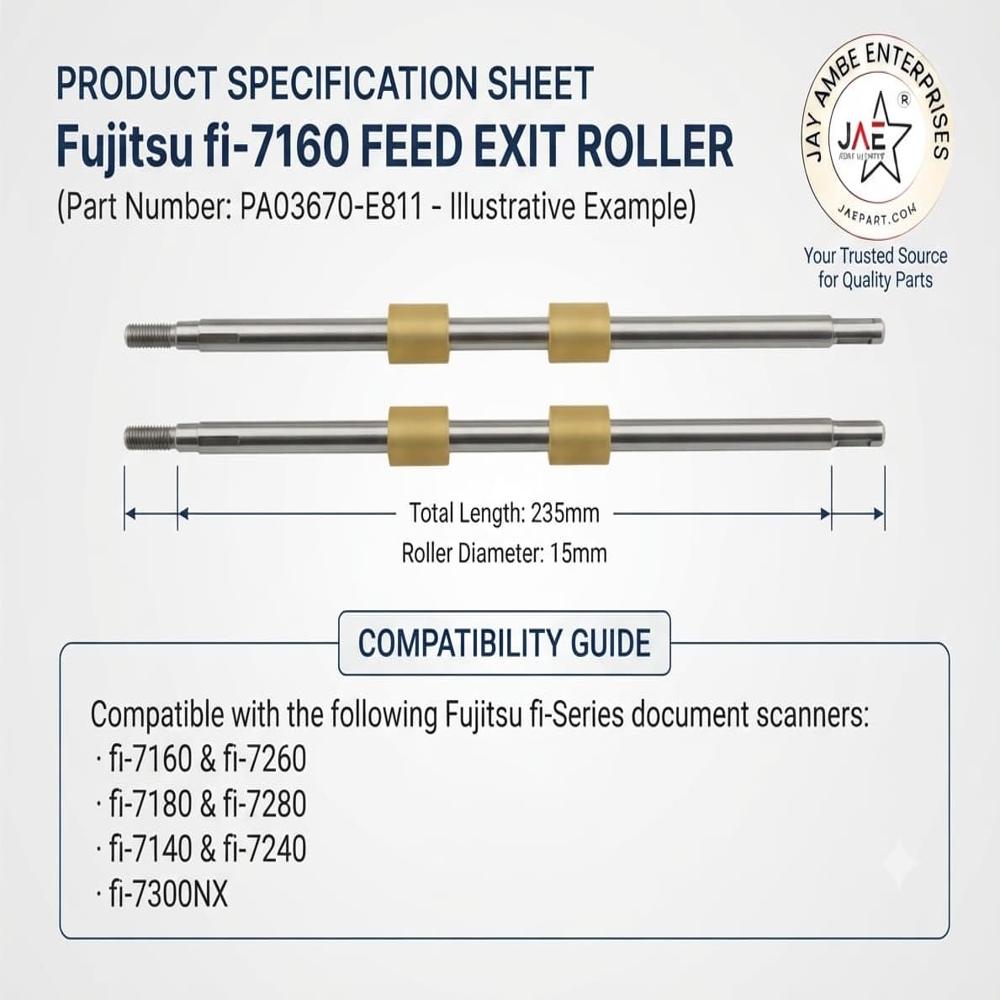
The Fujitsu fi-7160 feed exit roller parts typically correspond to part numbers PA03670-Y466 (exit roller) or part numbers
PA03670-Y461 / PA03670-E811 as part of the wider feed and exit roller assemblies.
Guides processed documents smoothly out of the Automatic Document Feeder (ADF) tray to prevent trailing paper jams or misfeeds.
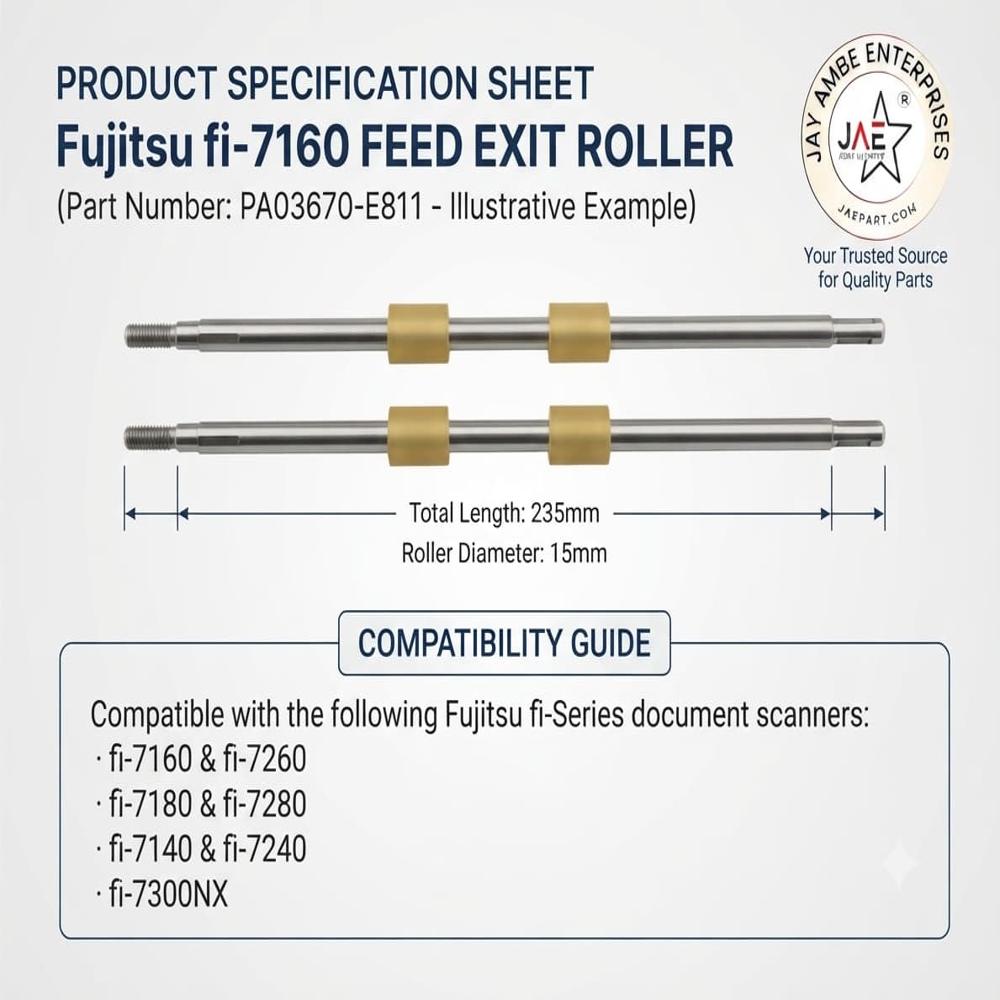
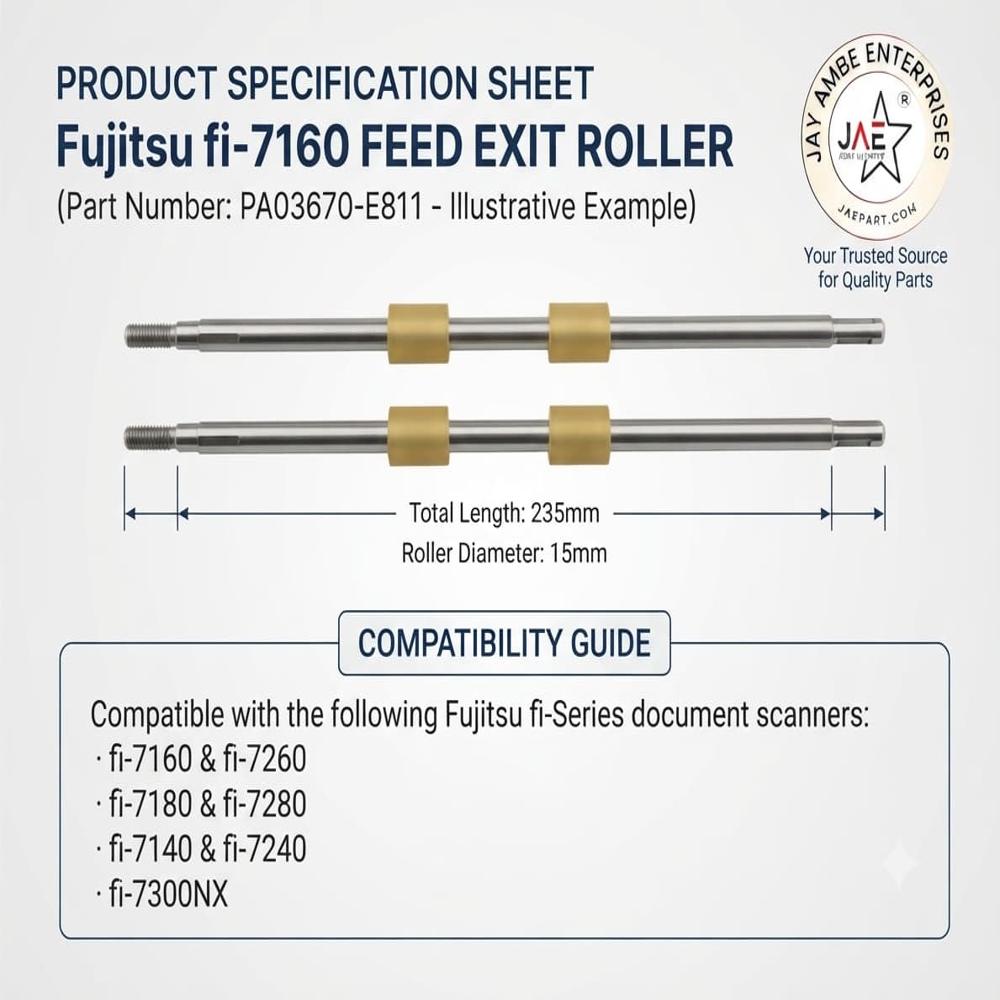
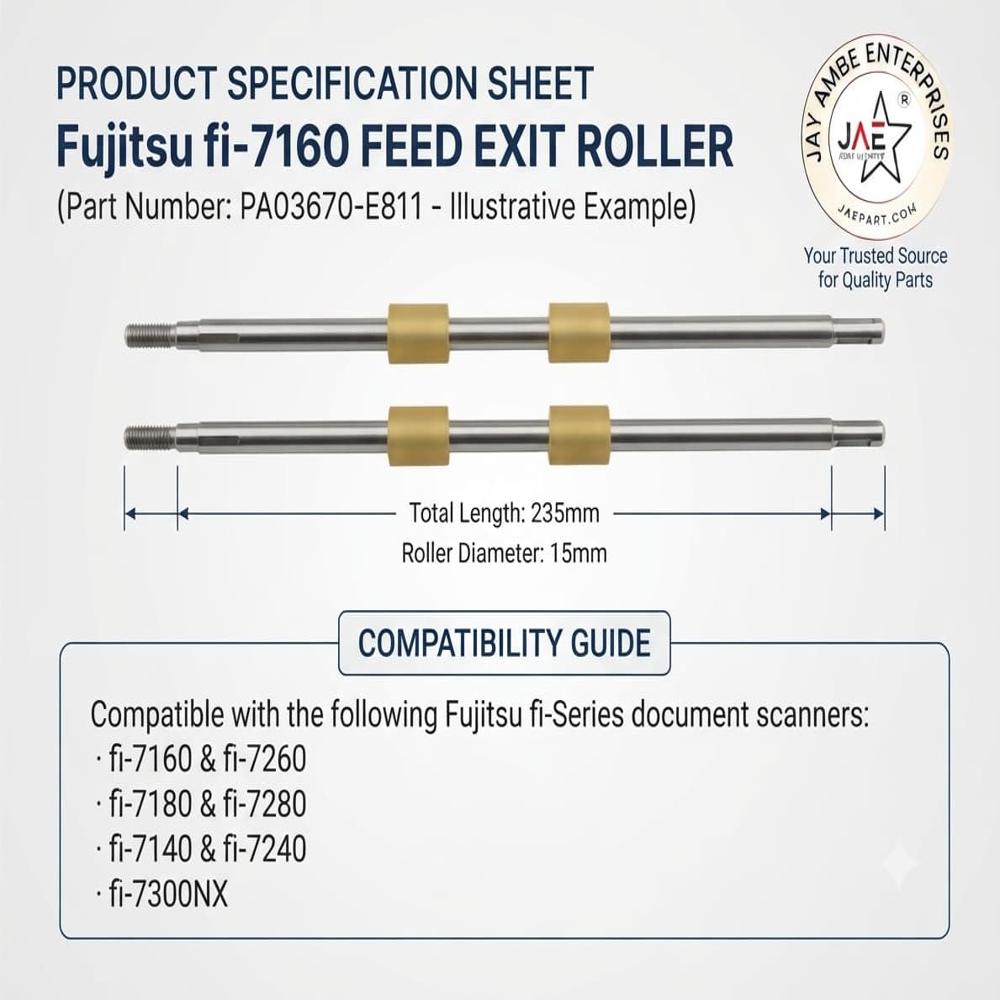
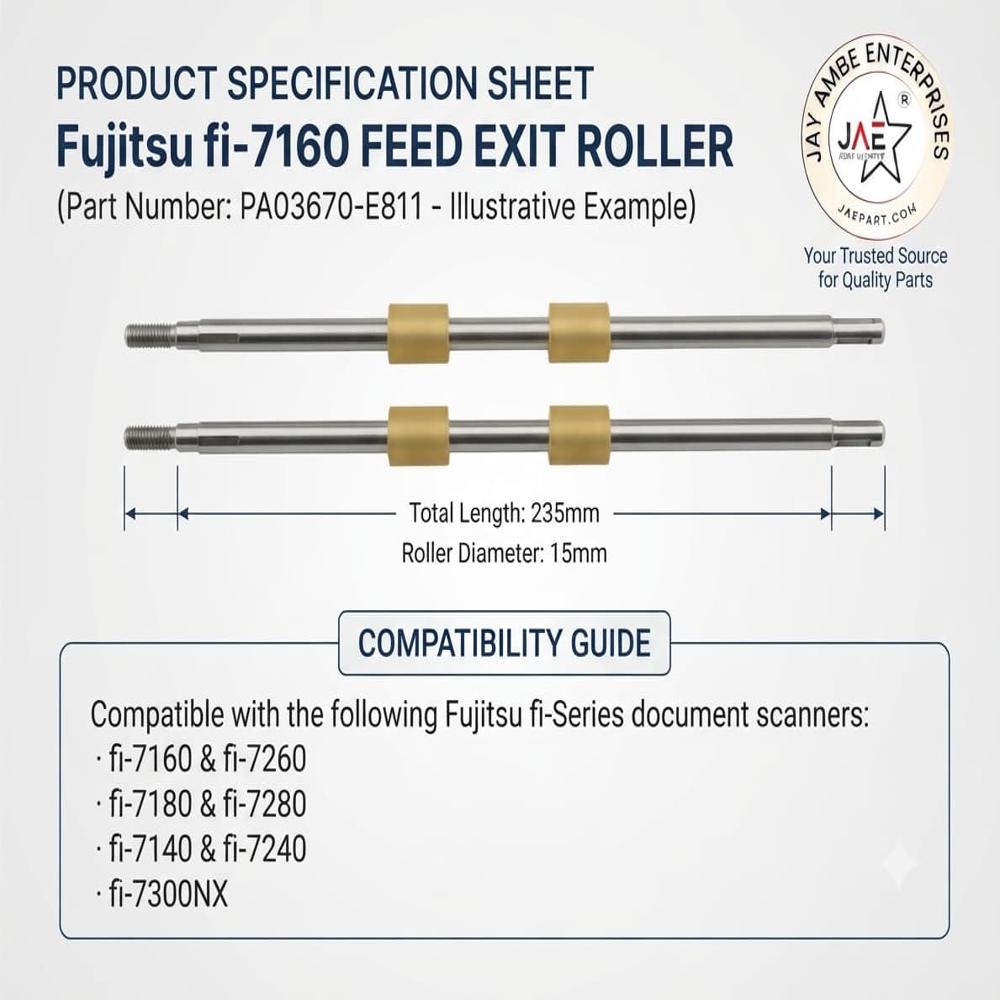
High-Precision Roller Replacement for Fujitsu fi-SeriesSpecially designed for Fujitsu fi-Series document scanners, this feed exit roller is essential for maintaining optimal paper handling. The 235mm metallic silver rod with gold dual rollers provides a perfect fit, ensuring smooth and reliable document feed and exit. With durable rubber/polymer rollers on a metal shaft, it helps extend the lifespan of your scanner and maintain professional performance.
Compatibility and Easy InstallationThis roller is compatible with a wide range of Fujitsu scanners, including models fi-7160, fi-7260, fi-7180, fi-7280, fi-7140, fi-7240, and fi-7300NX. The replacement process is straightforward, allowing users to maintain scanner productivity with minimal downtime. Its precise construction ensures seamless integration without the need for specialized tools.
FAQ's of FUJITSU FI-7160 FEED EXIT ROLLER:
Q: How do I know if the FUJITSU FI-7160 Feed Exit Roller is compatible with my scanner model?
A: This feed exit roller is compatible with Fujitsu fi-Series models including fi-7160, fi-7260, fi-7180, fi-7280, fi-7140, fi-7240, and fi-7300NX. Check your scanner's model number to confirm compatibility before purchasing.
Q: What is the installation process for replacing the feed exit roller?
A: To replace the roller, power off your scanner and carefully open the scanner cover. Remove the old roller by following your scanner's maintenance guide, then insert the new roller by securing it on the shaft with the dual friction rollers facing outward. Close the cover and resume use. Consult your scanner's manual for detailed instructions specific to your model.
Q: When should the feed exit roller be replaced?
A: Replace the feed exit roller when you notice frequent paper jams, feeding issues, or decreased scanning performance. Regular maintenance checks are recommended to ensure consistent reliability, especially in high-volume scanning environments.
Q: Where can I purchase the FUJITSU FI-7160 Feed Exit Roller?
A: You can acquire this roller from authorized Fujitsu dealers, distributors, retailers, or trusted online suppliers. Always ensure you are purchasing part number PA03670-E811 for compatibility and quality assurance.
Q: What are the benefits of using this feed exit roller in my Fujitsu scanner?
A: This roller ensures reliable and smooth paper feeding and exit, minimizing jams and misfeeds. Its high durability and precise fit contribute to prolonged scanner life and consistent performance in demanding document scanning tasks.
Q: How many rollers are included in a single FUJITSU FI-7160 Feed Exit Roller assembly?
A: Each assembly consists of a metal shaft with two rubber/polymer rollers, which work together to maintain optimal paper movement through the scanner.
 Maharashtra, India







 Send Inquiry
 Send Inquiry
 Send SMS