About BROTHER 7535DW DCP-7500 2531DW 2000D 2080DW FUSER UNIT
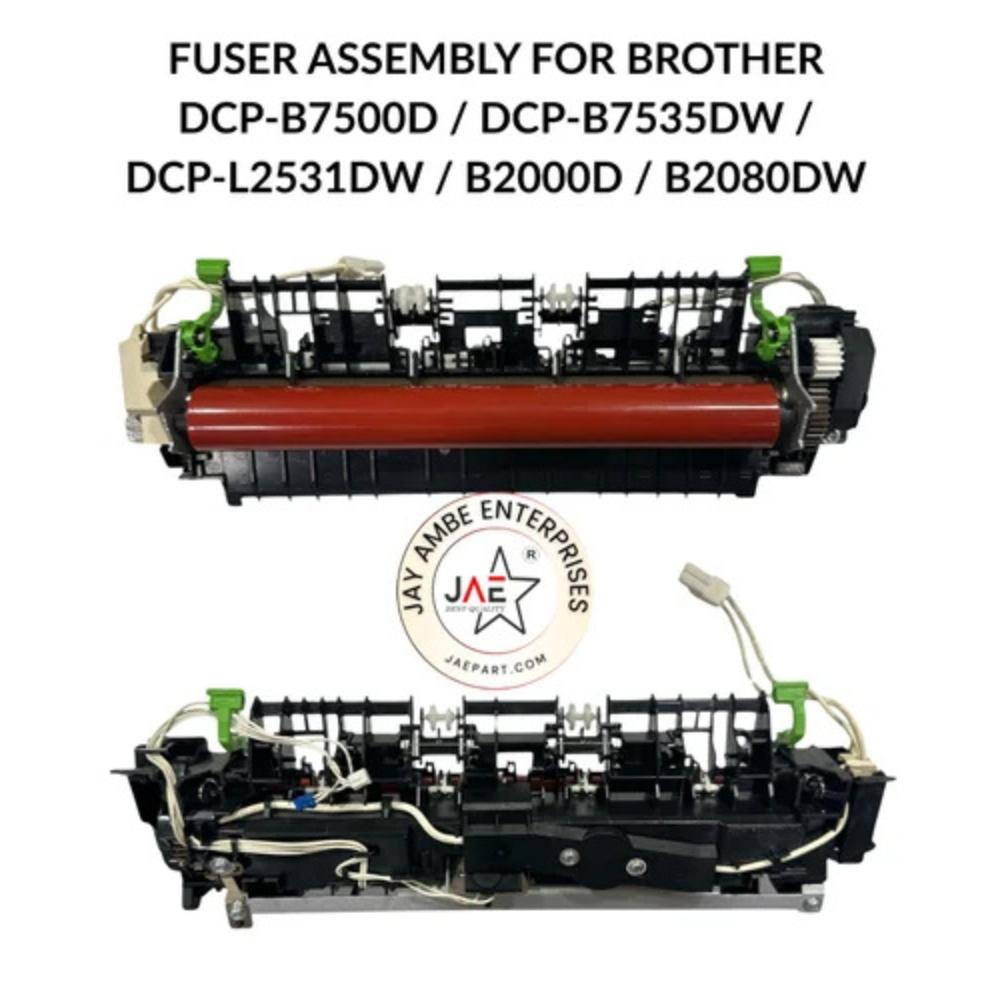
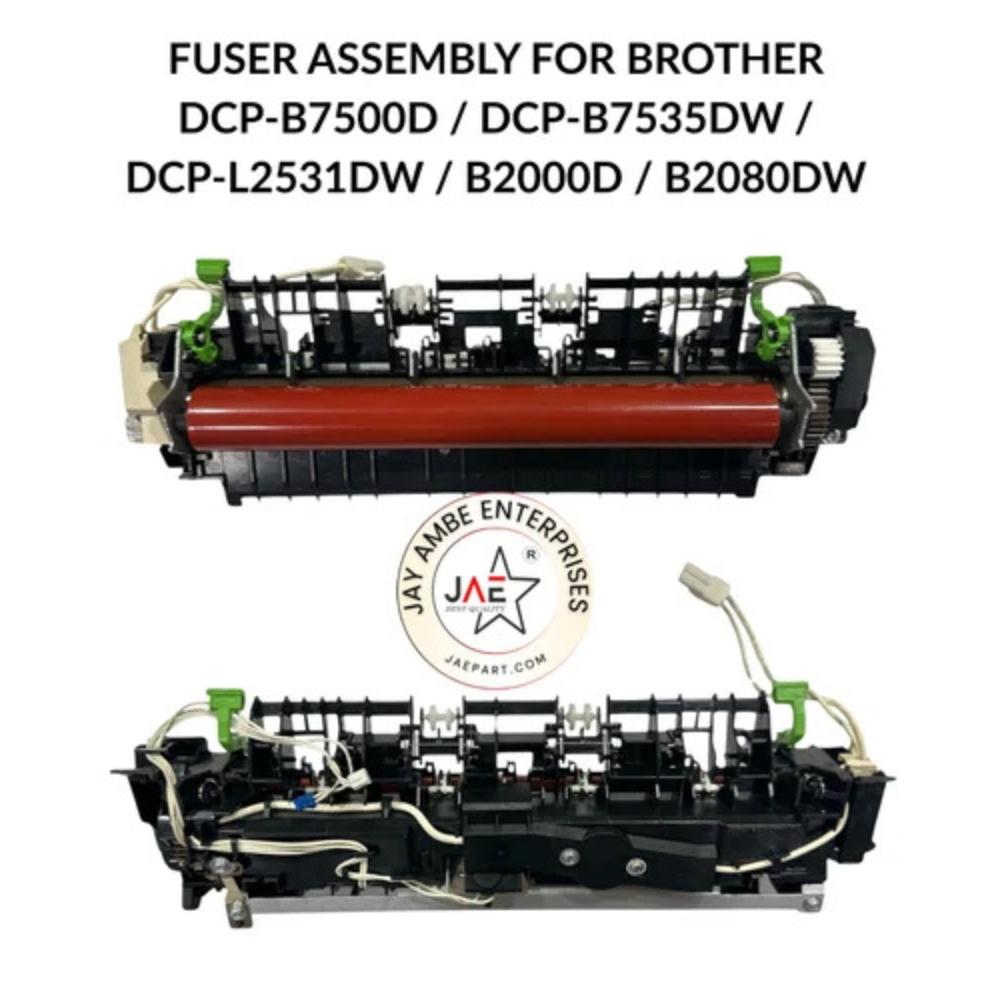
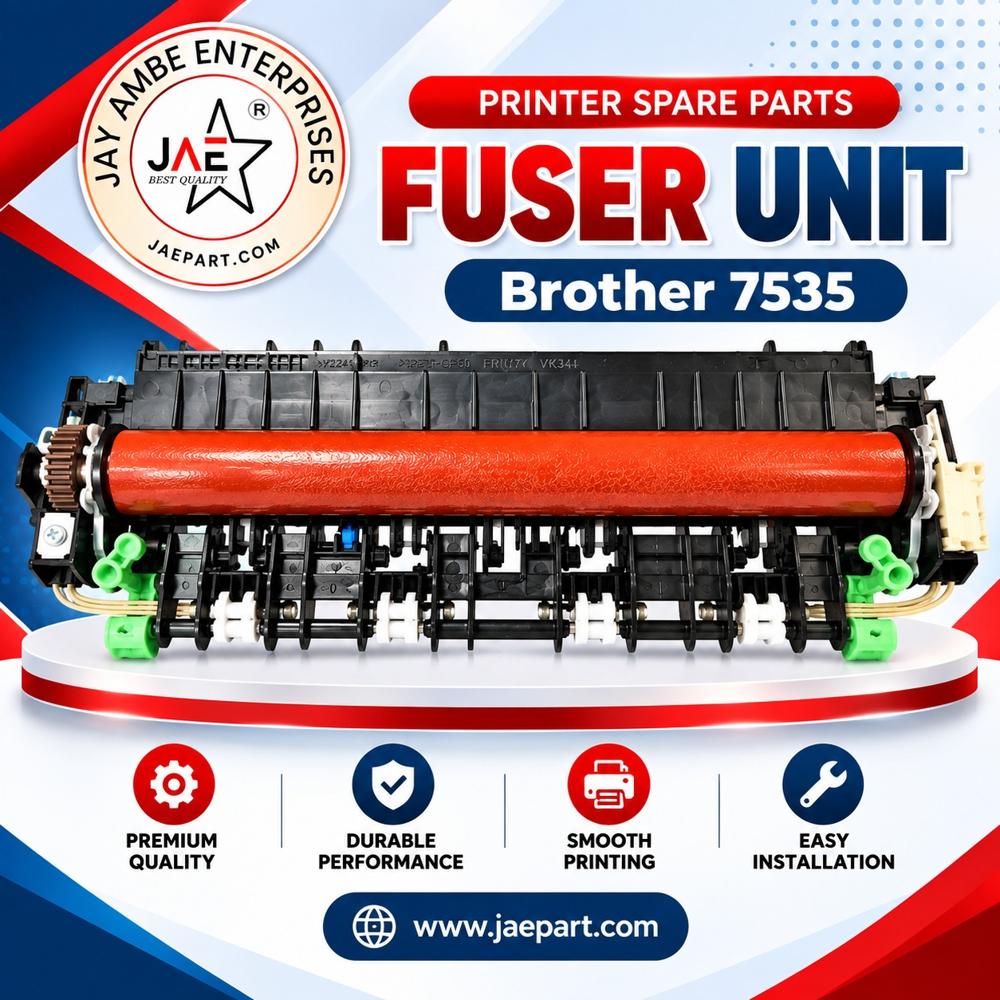
The Brother Fuser Assembly (Fixing Unit)compatible with the DCP-B7535DW, DCP-B7500D, DCP-L2531DW, HL-B2000D, and HL-B2080DW is a critical internal component responsible for permanently bonding toner to paper using high-precision heat and pressure. It is essential for maintaining crisp, smudge-free print quality and resolving common errors like paper jams or "fuser error" warnings.
Key Technical Specifications
Part Numbers: Commonly identified by compatible part numbers D02GWY001, D0343P00, D00YTM001, and LY6878001.
Page Yield: Engineered for high-volume durability with an expected lifespan of up to 80,000 to 100,000 pages.
Voltage: Rated for 220V240V AC (50/60 Hz).
Heating Technology: Features high-precision ceramic heating for rapid warm-up and consistent thermal transfer.
Construction: Robust assembly consisting of a high-temperature heat roller and a resilient pressure roller housed in heat-resistant engineering plastic and metal.
Compatibility List
This fuser assembly is a versatile unit designed for several series within the Brother monochrome laser printer lineup:
Built to handle up to 100,000 pages, the fuser unit ensures extended periods of optimal printer performance with minimal downtime. Its robust construction and consistent heat application support high-quality output, making it perfect for demanding environments and frequent printing tasks.
Effortless Replacement and Compatibility
Designed for seamless installation, this fuser unit is directly compatible with Brother 7535DW, DCP-7500, 2531DW, 2000D, and 2080DW models. The unit comes with clear identification via OEM part numbers LK2308001 and FM1-E820-000, ensuring correct fit and function for your printer.
User-Friendly Packaging and Storage
Each unit is individually boxed to prevent damage during transit or storage. For optimal performance, it is recommended to store the fuser in a cool, dry place. This packaging approach also simplifies handling and inventory management for dealers and resellers.
FAQ's of BROTHER 7535DW DCP-7500 2531DW 2000D 2080DW FUSER UNIT:
Q: How do I know when the Brother fuser unit needs replacement?
A: The fuser unit should typically be replaced after approximately 100,000 printed pages or when you notice print quality deterioration, frequent paper jams, or warning notifications from your printer indicating fuser issues.
Q: What is the installation process for the BROTHER 7535DW/7500/2531DW/2000D/2080DW fuser unit?
A: Installation involves turning off the printer, allowing it to cool, opening the rear cover, and carefully removing the old fuser. Align the new fuser unit, secure it in place, and close the printer. Detailed instructions can be found in your printer's user manual.
Q: Where can I use this fuser unit and which models does it support?
A: This fuser unit is designed for use in Brother 7535DW, DCP-7500, 2531DW, 2000D, and 2080DW laser printers. It is ideal for businesses, retail outlets, and distribution channels seeking reliable, high-volume printing.
Q: What are the storage guidelines for the fuser unit to ensure longevity?
A: Store the fuser unit in a cool, dry place with stable temperatures between 10C and 32.5C, and relative humidity between 20% and 80% (non-condensing). Avoid exposure to direct sunlight, dust, and high moisture areas.
Q: How does this fuser unit benefit printer performance?
A: It ensures consistent, high-quality printouts at speeds up to 30 pages per minute, minimizes downtime due to its long lifespan, and is designed for quick installation-resulting in efficient and hassle-free maintenance for your laser printer.
Q: What packaging and part identification should I expect when ordering?
A: Each unit comes individually boxed, with OEM part numbers LK2308001 and FM1-E820-000 clearly labeled to ensure you receive the correct component for your compatible Brother printer model.
Tell us about your requirement
Price:
Quantity
Select Unit
50
100
200
250
500
1000+
Additional detail
Mobile number
Email
Name
Comapny Name
Phone Number
Email Id
City / State
Confirm Your Requirement
Verification Code
Did not receive yet?
Resend OTP
You’re Done!
We have received your requirements and will reply shortly with the best price.
 Maharashtra, India







 Send Inquiry
 Send Inquiry
 Send SMS