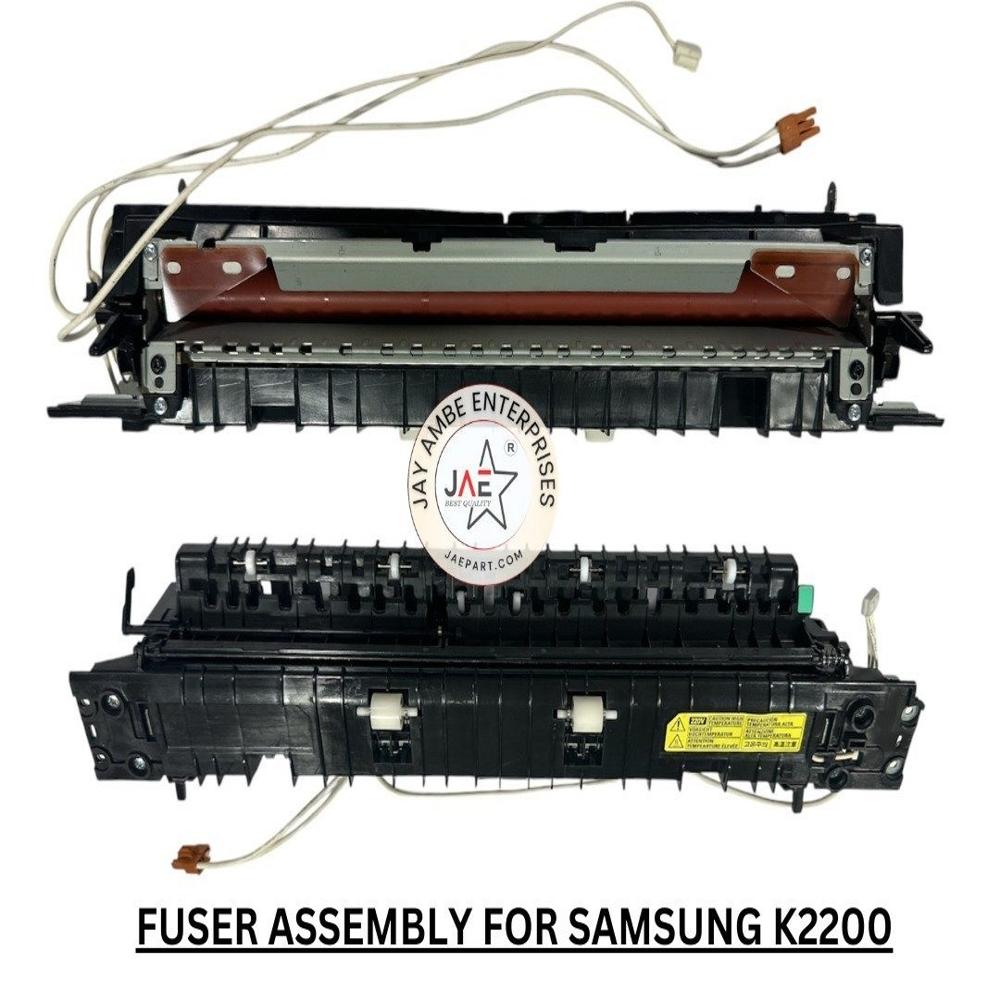
About SAMSUNG K2200 FUSER ASSEMBLY
or the HP LaserJet P2055 Printer, the correct fuser unit part numbers are usually:
- RM1-6406-000CN 220V version (used in India)
- RM1-6405-000CN 110V version (US region)
If you are replacing the full fuser assembly in India, you should normally buy the RM1-6406 type.
Best matching options currently available:
Compatible 220V replacement fuser assembly for HP P2035 and P2055 printers.
Common symptoms that indicate the fuser is failing:
- Toner smudging or rubbing off paper
- Ghosting/repeated print marks
- Wrinkled pages
- Fuser error messages
- Grinding or rubbing noise near rear section
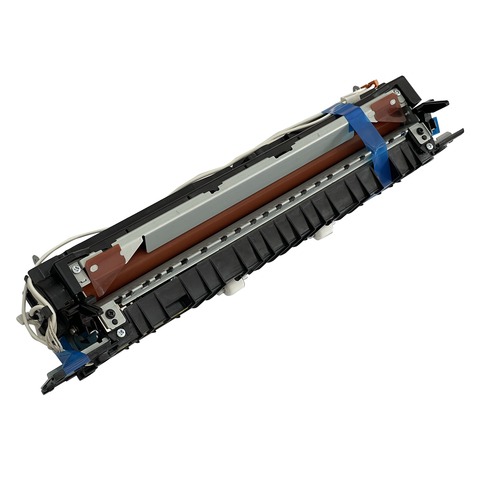
- The Samsung K2200 fuser assembly is a replaceable fixing unit (Part No: JC91-01152A) responsible for permanently bonding toner to paper using heat and pressure. It is compatible with the Samsung MultiXpress SL-K2200, K2200ND, and K2200FD printers.
- Part Numbers: JC91-01152A, JC91-01217A
- Compatible Models: Samsung MultiXpress SL-K2200, SL-K2200ND, SL-K2200FD
- Typical Problems Resolved: Frequent paper jams, wrinkling of pages, and toner smudging/light printing.
- Average Price: Ranges from 3,000 to 5,500 depending on whether it is an aftermarket, imported compatible, or original manufacturer part.
-
- The Samsung K2200 fuser assembly uses heat and pressure to permanently bond toner to paper. It resolves common issues like paper jams, wrinkled pages, and toner smudging
- Compatible Models: Samsung MultiXpress K2200, K2200ND, and K2200FD printers. It also shares cross-compatibility with HP LaserJet MFP M436/M438 series.
- Part Numbers: JC91-01152A, JC91-01217A.
- Average Price: 4,000 to 7,000 depending on whether you purchase a compatible import or an OEM unit.
- Common Wear Components: Fuser sleeve (film), pressure roller, and fuser drive gear
Efficient Performance and LongevityThe SAMSUNG K2200 Fuser Assembly is engineered for robust use in high-demand environments. With a lifespan of up to 100,000 pages, it helps maintain your printer's output and reliability over long operational periods. The assembly's precise temperature control ensures optimal toner adhesion, producing sharp, clear prints consistently. Its durable build reduces frequent replacements, supporting continuous productivity in your workspace.
Simple Installation and Wide CompatibilityFeaturing a user-replaceable design, the K2200 fuser can be installed without specialized tools or technical expertise. Its standard sizing and compatibility with models like K2200 and K2200ND make it a versatile choice for a broad range of mono laser printing needs. Suitable for various businesses, this fuser assembly is immediately available and protected by secure packaging for safe transit.
FAQ's of SAMSUNG K2200 FUSER ASSEMBLY:
Q: How do I install the SAMSUNG K2200 Fuser Assembly in my printer?
A: The SAMSUNG K2200 Fuser Assembly is designed for easy user replacement. Simply power off your K2200 Series printer, unlock and open the printer's rear or top panel, carefully remove the old fuser, and insert the new unit. Always follow your printer's manual for step-by-step guidance to ensure secure installation.
Q: What printers are compatible with this fuser assembly?
A: This fuser assembly is compatible with Samsung K2200, K2200ND, and the broader K2200 Series mono laser printers. It is designed to meet OEM standards for these models, ensuring perfect fit and performance.
Q: When should I replace the fuser assembly?
A: Replace the fuser assembly when print quality deteriorates, frequent paper jams occur, or after approximately 100,000 pages have been printed, as this is its rated lifespan. Early replacement can prevent downtime and maintain print quality.
Q: Where should I store the fuser assembly before installation?
A: Store the fuser assembly in a cool, dry place to prevent moisture damage, in its original protective box. This helps maintain the assembly's integrity and ensures optimal performance upon installation.
Q: What is the main benefit of using this OEM-standard fuser assembly?
A: The main benefits are enhanced durability, precise temperature management for superior toner adhesion, and reliable performance over up to 100,000 prints. It is engineered for long-lasting use, minimizing maintenance and downtime.
Q: How does the fuser assembly impact print quality?
A: The fuser operates within 180C-200C to effectively fuse toner to A4-sized paper, ensuring crisp, professional mono prints. Consistent temperature control prevents smudging and maintains high-quality output.
Q: What is the process for immediate dispatch if I order the fuser assembly?
A: Once ordered, the fuser assembly is dispatched immediately from stock, securely packed in an individual protective box. This ensures quick and safe delivery, minimizing printer downtime.
 Maharashtra, India











 Send Inquiry
 Send Inquiry
 Send SMS
 Call Me Free