About Kyocera 2040 panel
The
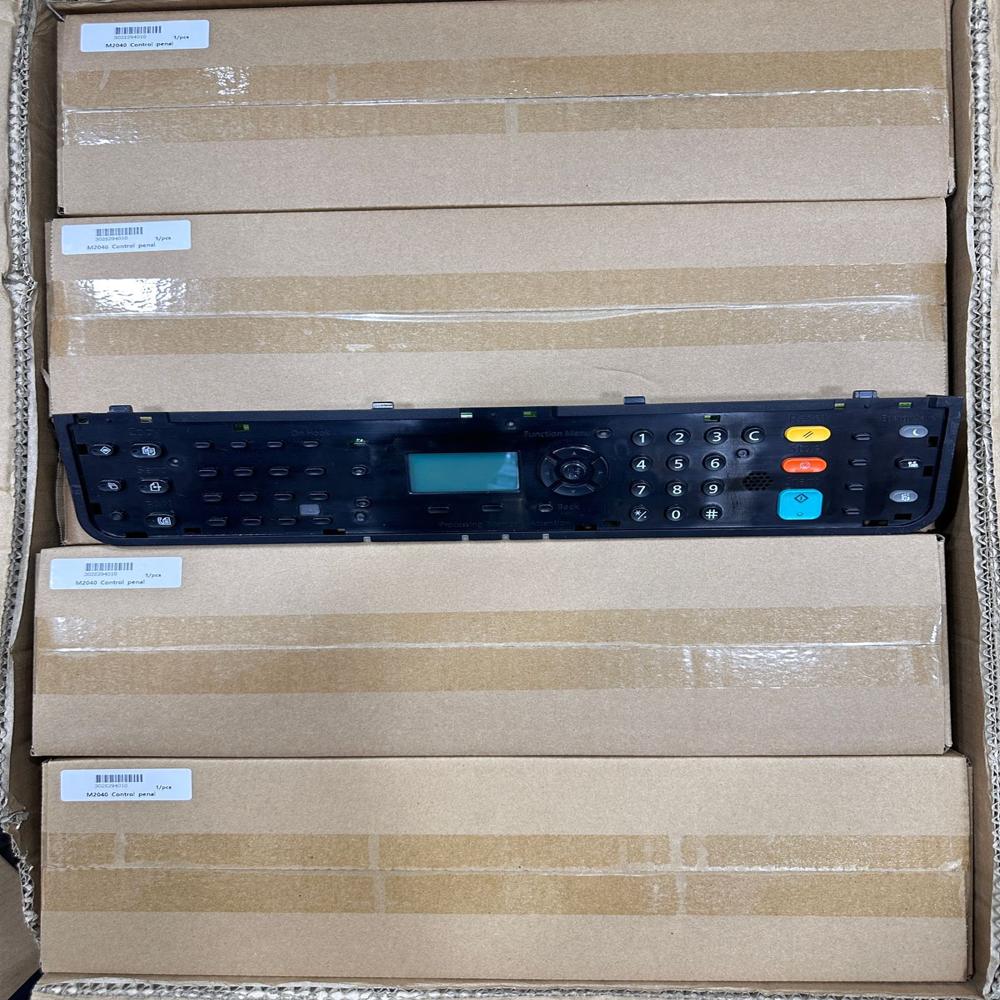
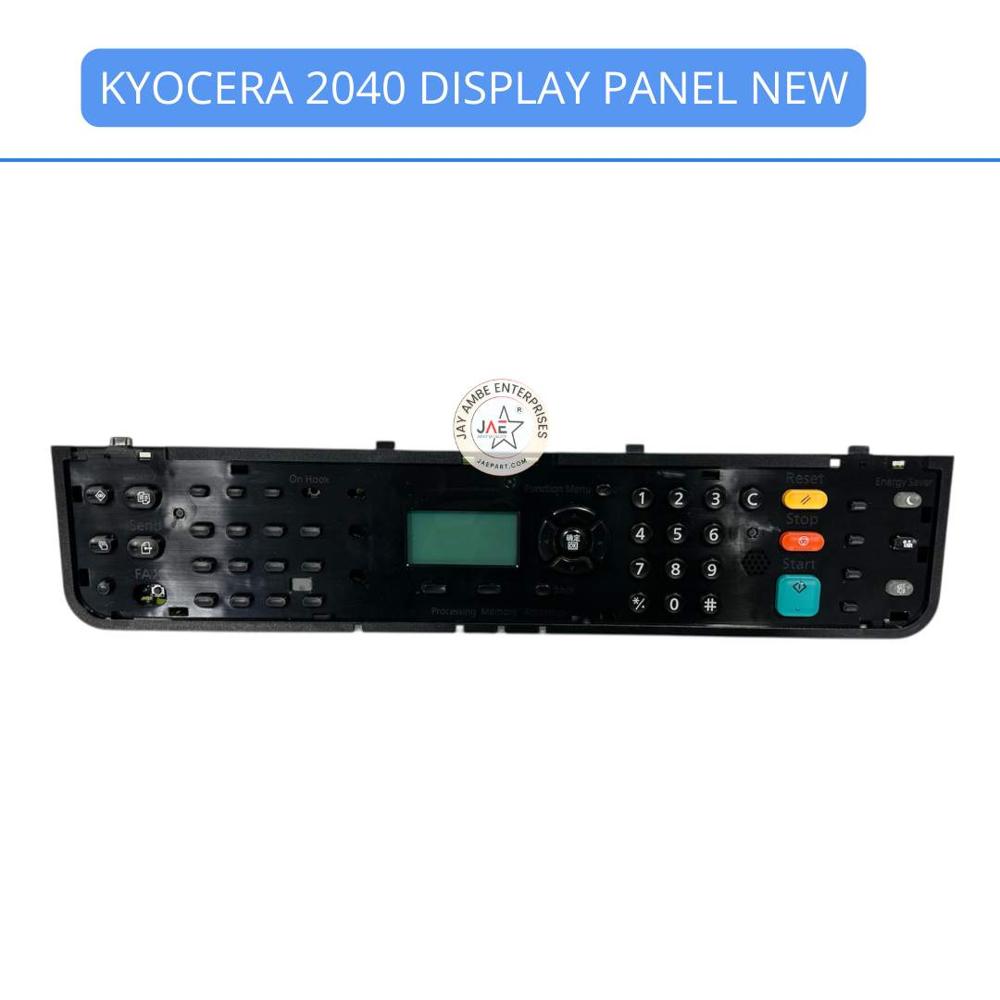
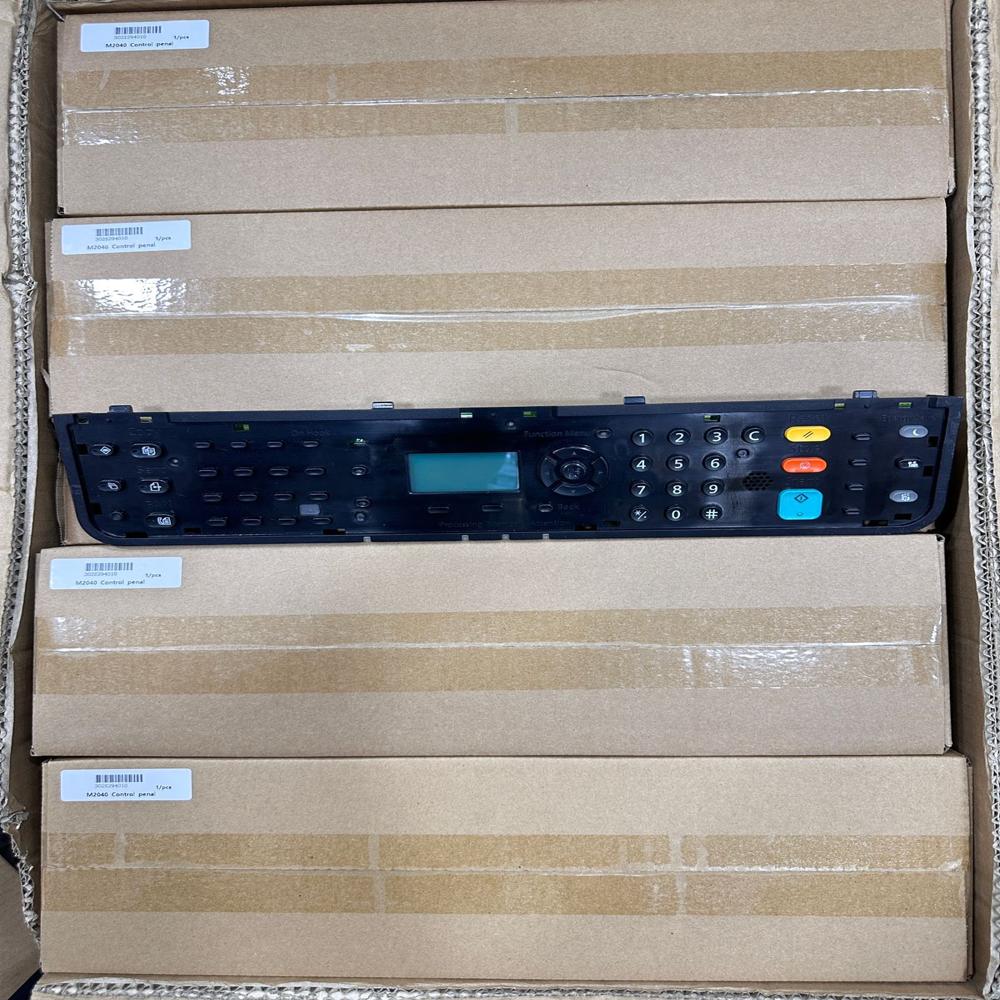
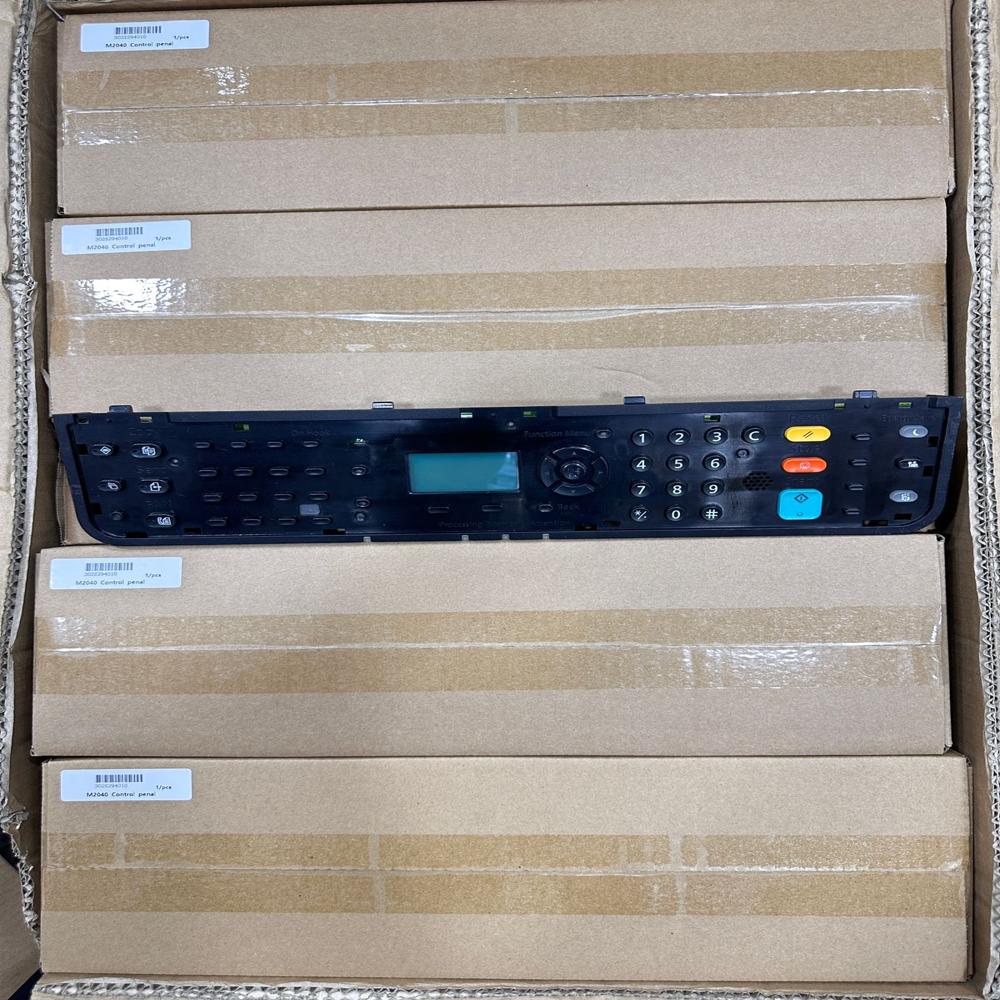
Kyocera ECOSYS M2040dn (a popular multifunction laser printer in the region) is equipped with a 5-line LCD display panel (128 x 64 dots). The control panel combines tactile, physical buttons with a backlit monochromatic screen, providing straightforward navigation for copying, scanning, and system settings
Display: 5-line monochrome LCD screen
Control Layout: Features an intuitive array of hard keys, including a numerical keypad for setting copy quantities, Start/Stop buttons, energy-saver mode, and system menu/counter acces
Status Indicators: LED lights to display real-time printer status (Ready, Data Processing, Attention/Error
If you prefer not to use the physical panel, you can wirelessly manage scans, copy settings, and device status from your smartphone using the
KYOCERA MyPanel Application when the printer is connected to your local Wi-Fi or network
If by "Kyocera 2040 panel" you mean the control/operation panel on the Kyocera ECOSYS M2040dn, it includes:
- Status/Job Cancel key
- Document Box/USB key
- System Menu/Counter key
- Send key
- One-touch destination keys
- Navigation/Select keys
- LCD message display
- Processing and Memory indicators
- Address Book and Copy keys
- Wi-Fi/Wi-Fi Direct keys (on wireless models)
Intuitive Monochrome LCD InterfaceThe Kyocera 2040 Panel features a clear, easy-to-read monochrome LCD display. Its integrated numeric keypad and dedicated function buttons enable effortless access to key print, copy, and scan tasks, simplifying workflows for users. The panel's layout is optimized for usability, making day-to-day printer operation efficient and user-friendly.
OEM-Grade Durability and FitMade from robust ABS plastic, this original Kyocera panel provides lasting performance and a perfect fit for your device. Designed to match the intended installation specifications, it seamlessly integrates into the front top section of compatible Kyocera laser printers. Its sturdy construction ensures consistent reliability in both office and business environments.
Quick Replacement and CompatibilityReplacing your printer's control panel is straightforward, thanks to the 2040 Panel's precise design. It is ready-stocked for prompt shipment. Compatible exclusively with Kyocera M2040dn, M2540dn, and M2640idw models, it offers OEM assurance for compatibility and quality, restoring your printer to like-new operation quickly.
FAQ's of Kyocera 2040 panel:
Q: How do I install the Kyocera 2040 panel on my printer?
A: The Kyocera 2040 panel is designed for easy installation on the front top section of your compatible Kyocera laser printer. Simply remove the old panel, align the new panel in its place, and connect it using the integrated panel connection. Detailed instructions can be found in your service manual or by consulting authorized Kyocera technicians.
Q: What printers is the Kyocera 2040 panel compatible with?
A: This control panel is compatible with Kyocera M2040dn, M2540dn, and M2640idw series laser printers. It is an original replacement part designed specifically for these models to ensure optimal fit and performance.
Q: When can I expect delivery of the Kyocera 2040 panel?
A: The Kyocera 2040 panel is typically in ready stock and available for immediate dispatch. Standard lead times range from 2 to 7 days, depending on your location and preferred shipping method.
Q: Where should I store the Kyocera 2040 panel before installation?
A: To maintain product integrity, the panel should be stored in a dry, cool place away from direct sunlight and moisture until you are ready to install it on your printer.
Q: What are the benefits of using this original Kyocera control panel?
A: Using the OEM Kyocera 2040 panel ensures reliable performance, perfect compatibility, and a user-friendly experience. It restores full functionality to your printer, including access to essential print, copy, and scan operations using the LCD and dedicated keypad.
Q: How does the panel receive power?
A: The Kyocera 2040 panel is powered directly by the printer itself, requiring no separate power source or additional wiring.
Q: What features distinguish the Kyocera 2040 panel from aftermarket alternatives?
A: As an original (OEM) part, the Kyocera 2040 panel offers precise compatibility, a robust ABS plastic build, and seamless integration with your printer's software and hardware-a level of assurance often not matched by non-OEM replacements.
 Maharashtra, India








 Send Inquiry
 Send Inquiry
 Send SMS